


- Editor Rating
- Rated 5 stars
- Spectacular
- StudioPress Themes
- Reviewed by:
- Published on:
- Last modified:
- Design
- Speed
- SEO Friendly
- Documentation
StudioPress is the creator of the Genesis Framework which is actually one of the most popular WordPress theme frameworks around. Genesis is most beneficial described as a layer of code that sits between your WordPress software as well as your theme preference. This framework provides WordPress site a well designed, fast loading, secure and SEO optimized foundation which means you can build the website of your dreams.
All StudioPress themes are mobile responsive and also have clean, lightweight code that makes your website fast, secure, and run smoothly. They’re trusted by more than 210,000 WordPress users including Yoast, Matt Cutts from Google and Matt Mullenweg the founder of WordPress. Few theme stores can actually get an interview with Matt and StudioPress is merely that respected.
Here are 12 main reasons why you have to choose StudioPress to build or redesign your WordPress site:
Affiliate Disclosure: This article contains affiliate links, which means Affapress earns a small commission whenever you end up purchasing products we recommend. However, the opinions written are only based on our experience and not how much they pay. Please continue to support our work and learn more about our affiliate links policy.
1. Search Engine Optimization (SEO)
StudioPress themes are designed on clean code that meets up with the highest WordPress code standards. As a result, your website will always quickly run, securely, and smoothly for the best user experience.
And, the better your website works on the backend, the more satisfied your visitors will be on the frontend (should you be providing high-quality content, products/services, and more for website visitors).
When website visitors are involved with your website’s content and notice the speed and performance, they’ll stay on your website much longer, talk about your content with family and friends, and even make more purchases, tending to help increase your search engine ranking positions.
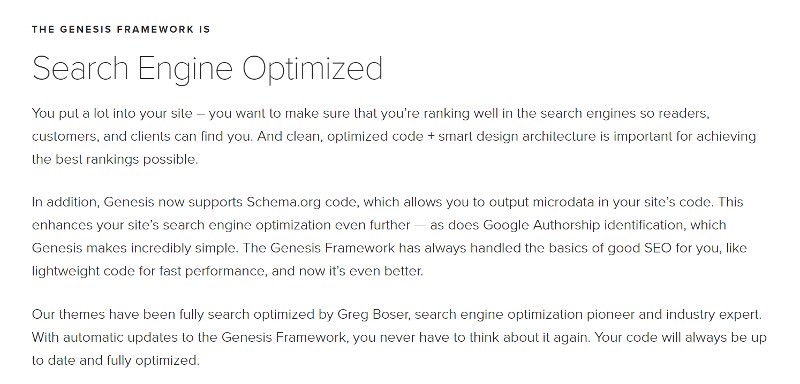
Just make sure you don’t rely on the Genesis Framework or Genesis child themes solely for SEO optimization, you’re better off configuring the Yoast SEO Plugin. Genesis includes schema.org also for rich snippets but you’re better off utilizing a plugin like All In One Schema (free but minimal) or WP Rich Snippets (premium and solid). These plugins shall do a much better job regardless of what theme you choose. Don’t get fooled whenever a developer slaps the words “SEO-Friendly” on their WordPress theme. The ultimate way to know is to check out what the top WordPress people are using, and that’s why people like Yoast and Matt Cutts from Google use the Genesis Framework by StudioPress.
back to menu ↑
2. Fast & Lightweight
Having a fast loading website used to nice-to-have, but today it’s must-have. Having a fast WordPress theme is crucial for SEO, user experience and conversion rate.
Most StudioPress themes don’t add a built-in portfolio, shortcodes, plus some don’t even include a slider. Rather than having these features caked into your theme (which hurts your load time), you may take benefit of the large number of free and premium WordPress plugins available to only add the features you need, without frustrating your website and messing with the user experience. This is actually the whole concept of lightweight. StudioPress coding is also top-notch so you can make sure your Genesis-powered WordPress site will load instantly.
back to menu ↑
3. Mobile Responsive + HTML5
All StudioPress themes are mobile responsive design so website visitors simply clicking your website from any device type or display screen size can easily see your website in its entirety without excessive zooming or scrolling.

Furthermore, StudioPress themes are built with HTML5 markup meaning they’ll:
- Rely less on plugins for functionality
- Work with all web browsers
- Have the same end experience no matter the device
- Have more efficient content
- Use less bandwidth and load faster
Therefore using a mobile-friendly website built with HTML5 markup is crucial these days. In the end, Google officially announced back in 2015 that websites with mobile-friendly web pages will get a ranking boost.
back to menu ↑
4. Security
Site security is the main element of your success. After all, if your website is hacked as well as your website compromised, not only do you risk losing all your efforts, but you also risk losing customers.
Luckily StudioPress induced security expert and core WordPress developer Mark Jaquith to review, tweak their themes and ensure that the Genesis Framework is the most secure framework around. This is good since WordPress sites have been a recent target.

back to menu ↑
5. Accessibility
This makes your website is easier readable by people who are visually impaired, hearing impaired, or color blind. They’re small things such as making high contrast text compared to the background color or making your navigation selectable by keyboard. It isn’t a ranking factor in Google (yet at least) but will make your website easier for this group of people.

However, StudioPress themes make it easy to allow accessibility on your website so anyone, with any type or kind of disability, will be able to enjoy your website.
back to menu ↑
6. Modern Design
Over recent years, web design has seen a significant rapid change in popular trends. There’s nothing worse than finding the theme of your dreams as it pertains to the backend features, only to discover the frontend design obsolete and no good.
However, StudioPress includes a modern design that will suit any type of website, charm to all website visitors and function just how it’s likely to.

Let’s have a quick look at some of the StudioPress themes best design features:
- Installed demo content easily
- Color scheme, font, and layout customization
- Custom page templates, including an exclusive landing page
- Widget ready homepage
- 6 default layout options including sidebar options
- Custom header with logo upload capability
- Social icon and share buttons
- Recent posts, complete with featured images
- Built-in search bar and breadcrumb navigation
back to menu ↑
7. Automatic Updates
One less thing to be concerned about from our website is being vulnerable from attack because of having an outdated WordPress core, as well as outdated themes and plugins. And sadly, despite knowing this, many website visitors neglect to perform regular updates.
In addition, sometimes website owners to perform the right updates, and something on their website crashes then. And if this happens, it could take an expert to find the problem and fix whatever occurred consequently of the failed update.

However, if you use a theme from StudioPress in your WordPress site, you can enable auto updates in your Genesis theme settings as well as your WordPress core and Genesis child theme is automatically updated and that means you never have to be concerned about updating them manually.
back to menu ↑
8. Powered by Genesis Framework
All StudioPress themes are built in the Genesis Framework. This framework is one of the top frameworks is respected in many WP communities.

This works much like a parent theme and facilitates the development of your child theme (the one you select on StudioPress). Through the use of Genesis, you are allowing StudioPress to make ongoing updates to the Genesis Framework which will keep your website running well.
back to menu ↑
9. Theme Settings
All StudioPress themes have Genesis Theme Settings which you are able to export and import to use on multiple Genesis sites. As you can see there aren’t almost as many options as a robust theme like Avada on ThemeForest, but as I said, this is the concept of a lightweight theme.

back to menu ↑
10. Genesis Plugins
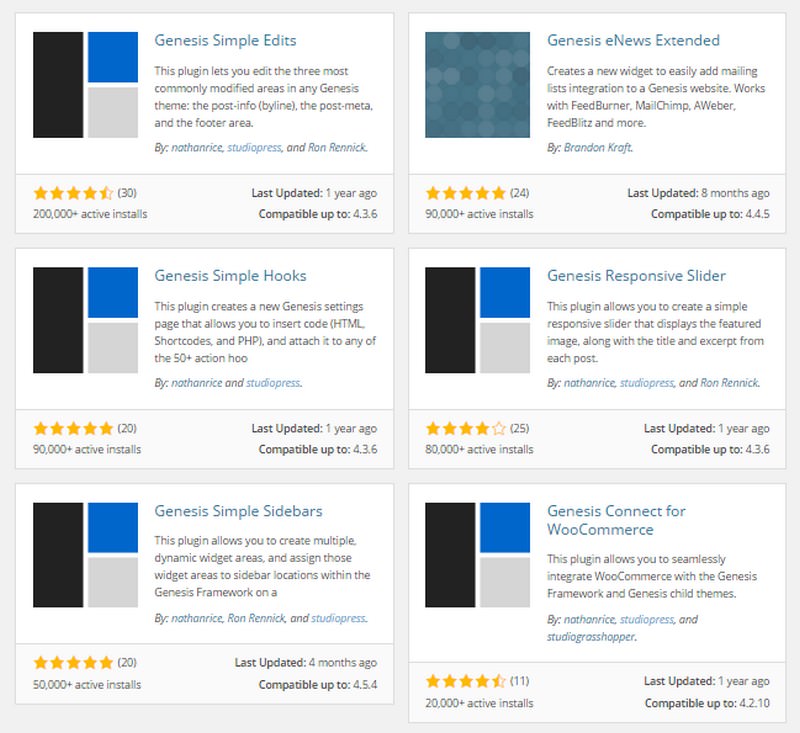
As though creating typically the most popular WordPress framework to date wasn’t enough, complete with tons of child themes to complement any website owner dreams, StudioPress also offers a multitude of plugins to help extend the features and design of your website.
That’s only the beginning! The WordPress plugin repository currently has a large selection of free StudioPress plugins you can use. Many of them have high ratings are they are lightweight so you don’t have to be concerned about them slowing your website.
back to menu ↑
11. Documentation & Support
A high-quality theme would be no good if it didn’t include adequate documentation and support. And, as the utmost popular WordPress framework in the world, the documentation for both Genesis Framework and their themes is very helpful. As well as the support team is always ready to provide any assistance if you are experiencing any problem.
Once you purchase a theme you will have access to its setup instructions. Here they’ll show how to install your theme, import demo content, homepage settings, Genesis SEO settings, use columns, and other tutorials.

- StudioPress users get access to an exclusive user account where documentation and help are available. However, for those that need help with third-party Genesis child themes, you will discover an FAQ section and an updated blog on everything related to StudioPress, website creation, the newsletter, information articles, and more.
- StudioPress theme users can gain access to the community forum section, which is hosted on the StudioPress website. Ask questions, find answers, and get involved with the growing community.
back to menu ↑
12. Great Community
One of the biggest reasons for having WordPress is the community that has built up around that content management system. And, it just so happens that StudioPress has the same kind of community.
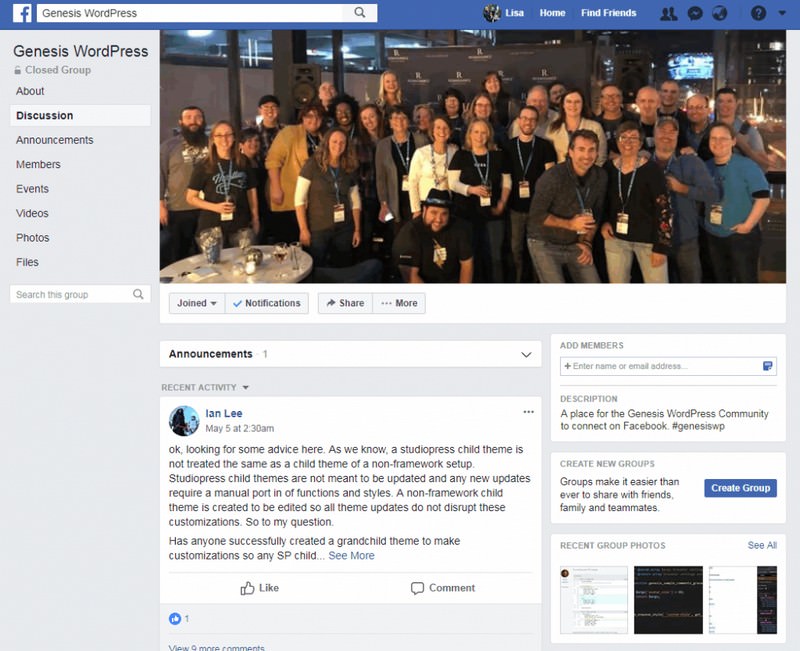
If you buy a StudioPress theme you have to join the Genesis WordPress Facebook Group. They are really helpful and the StudioPress team posts regular updates on new theme releases, tips, and other information about the Genesis Framework. If you have a question or issue related to anything Genesis, this is one of the most helpful Facebook Groups that you have to join.
back to menu ↑
Popular StudioPress Themes
There are so many wonderful StudioPress themes to choose from, so in order to give you a sample, I’ve rounded up among the best. Just keep in mind that all child themes have the potential to be customized how you see fit.
1. Corporate Pro

Corporate Pro is a good investment for businesses attempting to make an enduring impression. Corporate Pro has elevated the bar for Genesis child themes with its smart new features such as the One Click Demo Import, AMP support and more.
2. Foodie Pro
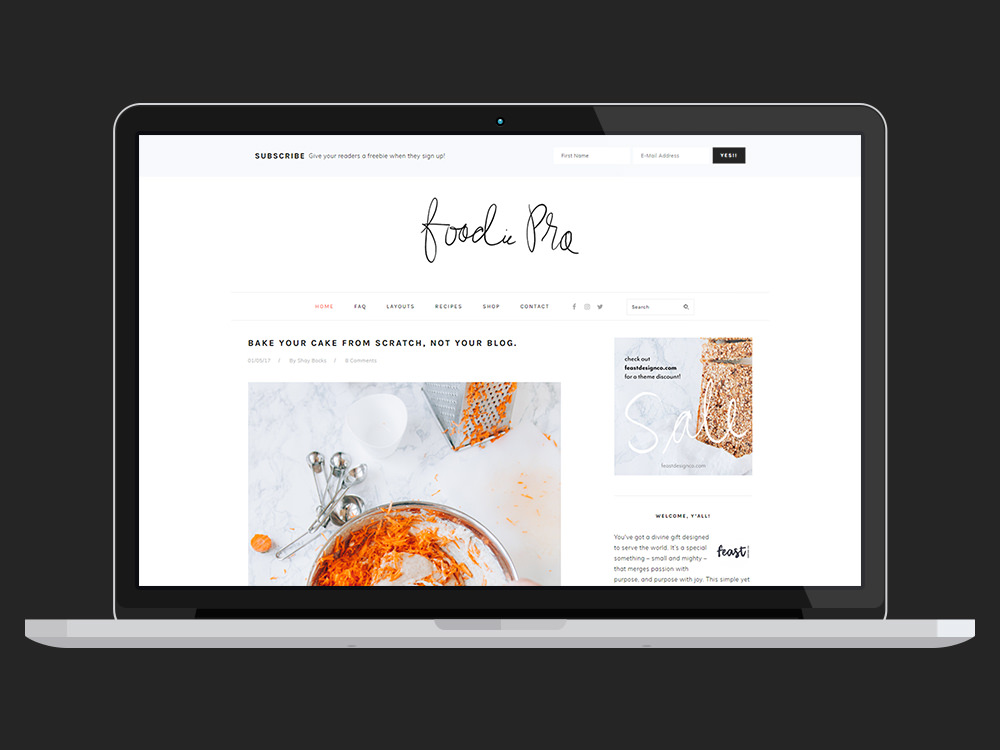
Foodie Pro is sleek and svelte with its minimalist approach and clean design, but it sure packs a punch as it pertains to features. Foodie Pro is the most versatile Genesis Theme to date – with a minimalist style and a lot of color and typography options.
3. Academy Pro

Academy Pro is the theme for online course makers, membership site owners, and educational content marketers. Display your authority, get more email opt-ins, and promote the advantages of learning from you.
4. Outfitter Pro

Built to integrate with WooCommerce seamlessly, and having a stylish masonry-style product display option for the homepage, Outfitter Pro will help you drive increased sales by inviting click-throughs to product pages and trying to make the checkout process as intuitive as it can be.
5. AgentPress Pro

AgentPress helps industry savvy real estate agents like you build a much better business using its intuitive design, powerful features, and smart listings. Rise above the market and achieve results by showcasing your professional services and up-to-the-minute resources with the buyer-friendly layouts of AgentPress.
back to menu ↑
Pro Plus All-Theme Package
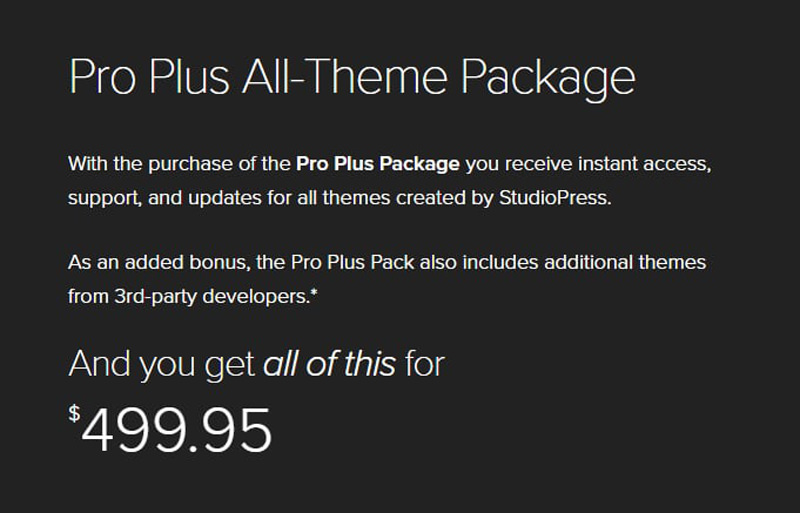
StudioPress Pro Plus All-Theme Package includes all StudioPress themes (55+ themes) for $499.95 + $99.95/year after. This theme pack includes all third-party and future themes in their collection. I came across many higher paying gigs involve companies who wish to use Genesis, so being truly a WordPress developer (and Genesis developer) can get you more clients in itself.
back to menu ↑
Showcase Websites
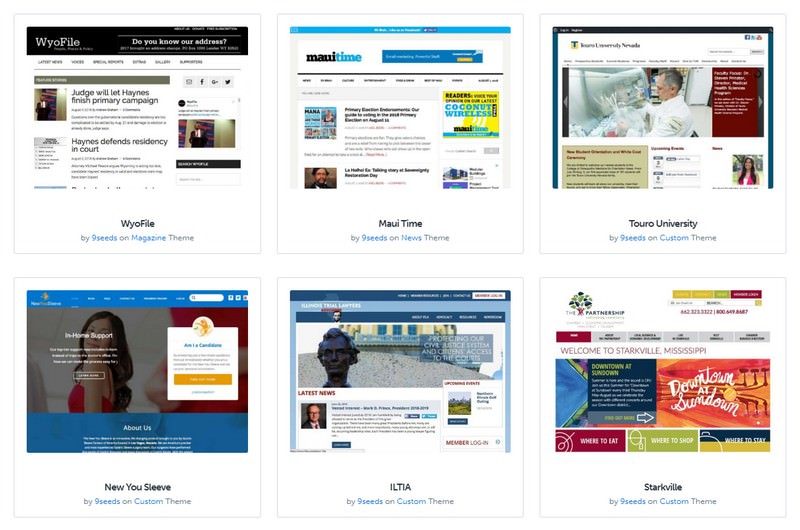
Utilize the showcase section on the StudioPress website to see customized versions of every theme. There is an option box at the top of the page where you can filter by theme (and you’ll notice some websites look very different than the theme, displaying you how versatile they are).
back to menu ↑
Building a Website Using a StudioPress Theme
When you purchase a theme from StudioPress, you get access to the detailed installation and theme set up instructions for your selected theme. These guides walk you through the procedure of establishing your website so that it fits the demo version for the precise theme you’re dealing with.

From your own dashboard on the StudioPress website, you can access the themes you’ve bought and discovered their setup instructions. Each theme purchase includes access to the Genesis Framework, and it must be uploaded to WordPress alongside your selected StudioPress child theme.
To start building your brand-new WordPress site, download the theme and the framework archive files to your computer. The files can then be uploaded to your WordPress site through the themes section of the admin dashboard.

Genesis Framework and StudioPress child theme files are extremely small, especially compared with some of the other popular multipurpose WordPress themes out there. Obviously, you don’t get access to the same prosperity of features, settings, and integrated plugins, but if you’re looking for a lightweight, fast-loading theme, those from StudioPress are hard to beat.
Once you’ve uploaded the Genesis Framework and StudioPress child themes to your website, activate the child theme to apply it to your website.

After that, you can either set up the theme as you want or follow the instructions to duplicate the demo version of the theme (following the instructions gives you a good knowledge of how the theme works).
You additionally have the option of importing the demo content. However, unlike some other themes, this won’t apply the settings and configuration of the demo version to your website, just the sample content.

Based on which theme you’ve chosen, you’ll receive access to slightly different features and settings. However, with most StudioPress themes you can customize or enhance the following areas:
- Color scheme
- Basic Site layout
- Homepage content
- Appearance of the content archives
- Individual page layouts
- Display optional breadcrumbs navigation

With regards to adding content to your website, the StudioPress themes will often have a few templates to choose from, including a landing page template. There’s also custom content and sidebar configurations that may be applied to individual posts and pages.

Other customization options, depending on your selected theme, can include the capability to add widgets to your homepage layout, depending on which ones you choose, you can add a selection of different types of content to your homepage via the widgets.

Once you’ve created the structure for your website and personalized its appearance, all that’s left to do is add your own content.

back to menu ↑
Final Thoughts
Through the review which I cover in detail above, a conclusion can be drawn that if you’re looking for a high-quality, secure WordPress theme for your website, choosing StudioPress themes is always a good notion. All of their themes feature a strong foundation that leads the way in reputation, have sufficient design and features for building a competitive website, and are simple to use whether you’re a sophisticated developer or a new website owner.
If you have any questions about my StudioPress themes review, the Genesis Framework, or a particular theme, drop me a line in the comments and I’ll be glad to help you out.
Pros
- All themes come fully responsive and mobile-friendly, complete with HTML5 markup
- Lightweight themes are minimal and load super quickly
- Fast load times, less technical issues, etc make for better SEO
- Being built on the solid Genesis Framework makes things secure
- Coding has been reviewed by WordPress security expert Mark Jaquith
- Clean code follows WordPress best practices and standards
- Some themes are accessibility ready for visually or hearing impaired
- Comes with Genesis plugins to help extend the themes design & functionality
- Lots of available documentation and support for when you need help
- There is a huge community for Genesis, finding help is no problem
- Very reliable when it comes to updates and keeping your site run smoothly
- Returning customers get a nice discount off future purchases on StudioPress
Cons
- Lack of extensive feature sets make themes look similar
- Less built-in features means you will rely more on plugins
- The price point is a bit much for some people
- Pro Plus All-Theme Package has recurring fee which nobody likes
Subscribe To Our Newsletter!


